

Last updated: July 21, 2026
A best gaming laptop under 1500 matters because this price tier is where portable gaming systems start to feel genuinely capable without pushing into ultra-premium territory. In July 2026, the strongest options in this range combine modern NVIDIA RTX laptop GPUs, high-refresh IPS displays, usable memory configurations, and SSD storage that can handle large game installs.
This guide is for gamers, students, streamers, creators, and PC builders who want a powerful gaming notebook without overspending. We focused on models that match the core intent: a gaming laptop with available product data showing it fits below the stated budget ceiling. If you are still deciding across the broader category, our Best Gaming Laptops hub is a useful next stop.
Based on available product data, the most important differences are GPU class, display resolution, refresh rate, cooling design, RAM capacity, storage capacity, and upgrade flexibility. We do not claim hands-on benchmark testing here; instead, the recommendations below are based on stated specifications, customer rating data where supplied, and editorial value assessment.

Pros
- Strong AI graphics performance from RTX 5060 with high TOPS rating
- Portable slim chassis suitable for travel gaming
- High-refresh display supports fluid motion in fast action
- Generous RAM and SSD capacity for multitasking
Cons
- RAM is capped at 32GB with no further upgrades possible
- Cooling fans may produce noticeable noise under load
- Real-world battery endurance remains unverified for extended use

Alienware 16 Aurora Gaming Laptop 16" WQXGA 120Hz Intel Core 7 RTX 5050 16GB RAM 1TB SSD
Pros
- Strong balance of performance and portability in a focused design
- Advanced thermal system supports sustained high output with low noise
- Upgradeable components allow future customization
- Comfortable ergonomics with easy lid handling and palm rest
Cons
- Base 16GB RAM may require upgrades for heavy multitasking
- RTX 5050 targets mainstream rather than ultra-high settings
- Limited to one year of onsite service coverage


Pros
- Powerful processor handles demanding games and multitasking effectively
- Hyperchamber cooling keeps temperatures stable for consistent performance
- 144Hz display with G-Sync provides smooth visuals
- Military-spec build offers added durability for daily use
Cons
- RTX 5050 graphics may limit ultra-high settings in newer titles
- Integrated keyboard backlight lacks RGB customization
- Battery runtime shortens noticeably under heavy loads


Pros
- Strong processor and GPU combo for entry-level gaming
- High-refresh-rate display improves responsiveness
- Upgradable memory supports future needs
- Multiple ports including Thunderbolt 4 for flexibility
Cons
- Base 8GB RAM may require upgrade for heavy multitasking
- 512GB SSD offers limited storage out of the box
- Build focuses on function over premium materials


Pros
- High refresh rate display enhances competitive gaming responsiveness
- Modern GPU architecture supports advanced ray tracing and neural rendering
- Versatile ports including Thunderbolt 4 for charging and display
- Dual fan system helps sustain performance during prolonged use
Cons
- 512GB SSD storage may fill up quickly with modern games and media files
- 16GB of DDR4 RAM might require upgrading for intensive multitasking or future-proofing
- RTX 5050 is an entry-level option that may need settings adjustments for demanding titles


How to Choose the Best Gaming Laptop Under 1500
GPU Performance
The GPU is the first specification to check because it determines how well the laptop renders modern games, uses ray tracing, and benefits from AI upscaling. In the supplied data, RTX 50-series laptop GPUs appear across multiple models, including RTX 5050, RTX 5060, and RTX 5070 configurations. For most buyers, an RTX 5050 system is a strong 1080p gaming target, while RTX 5060 and RTX 5070 models are better suited for users who want more headroom for higher settings, creator workloads, or longer usable life.
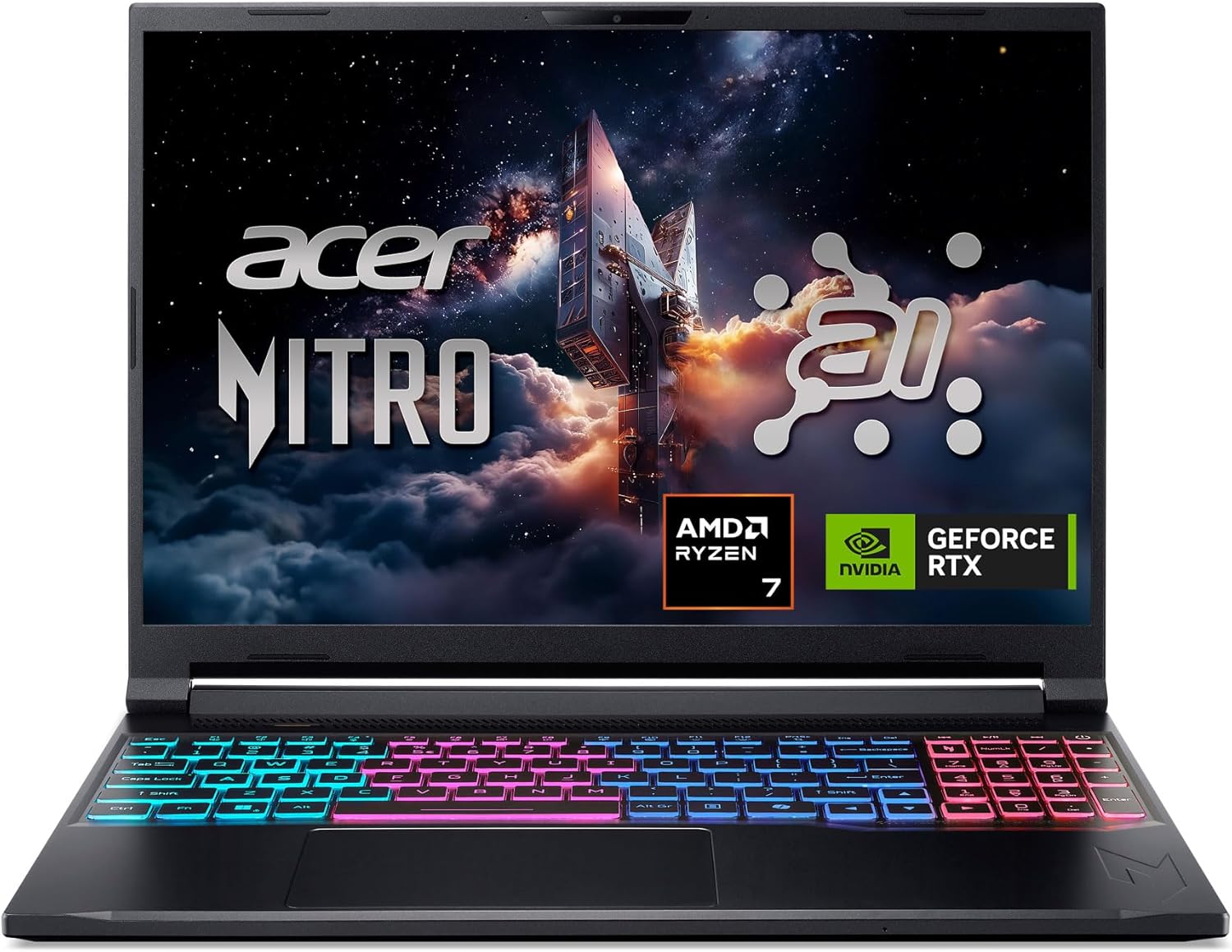
VRAM also matters. The Acer Nitro V 15 configuration with RTX 5050 lists 8GB of dedicated GDDR7 VRAM, which is a meaningful spec for texture-heavy games compared with lower-memory entry graphics. The Alienware 16 Aurora also lists RTX 5050 8GB graphics, while the Acer Nitro V 16S steps up to RTX 5060 and highlights NVIDIA Blackwell features and DLSS 4 support according to manufacturer specifications.
If you mainly play esports titles, prioritize a balanced CPU and a high-refresh 1080p or WUXGA panel. If you play cinematic AAA games, prioritize the strongest GPU you can get within the budget ceiling, then check cooling and display quality. For a deeper GPU-focused laptop comparison, our RTX gaming laptop guide can help you understand how midrange laptop graphics tiers usually stack up.
CPU Performance
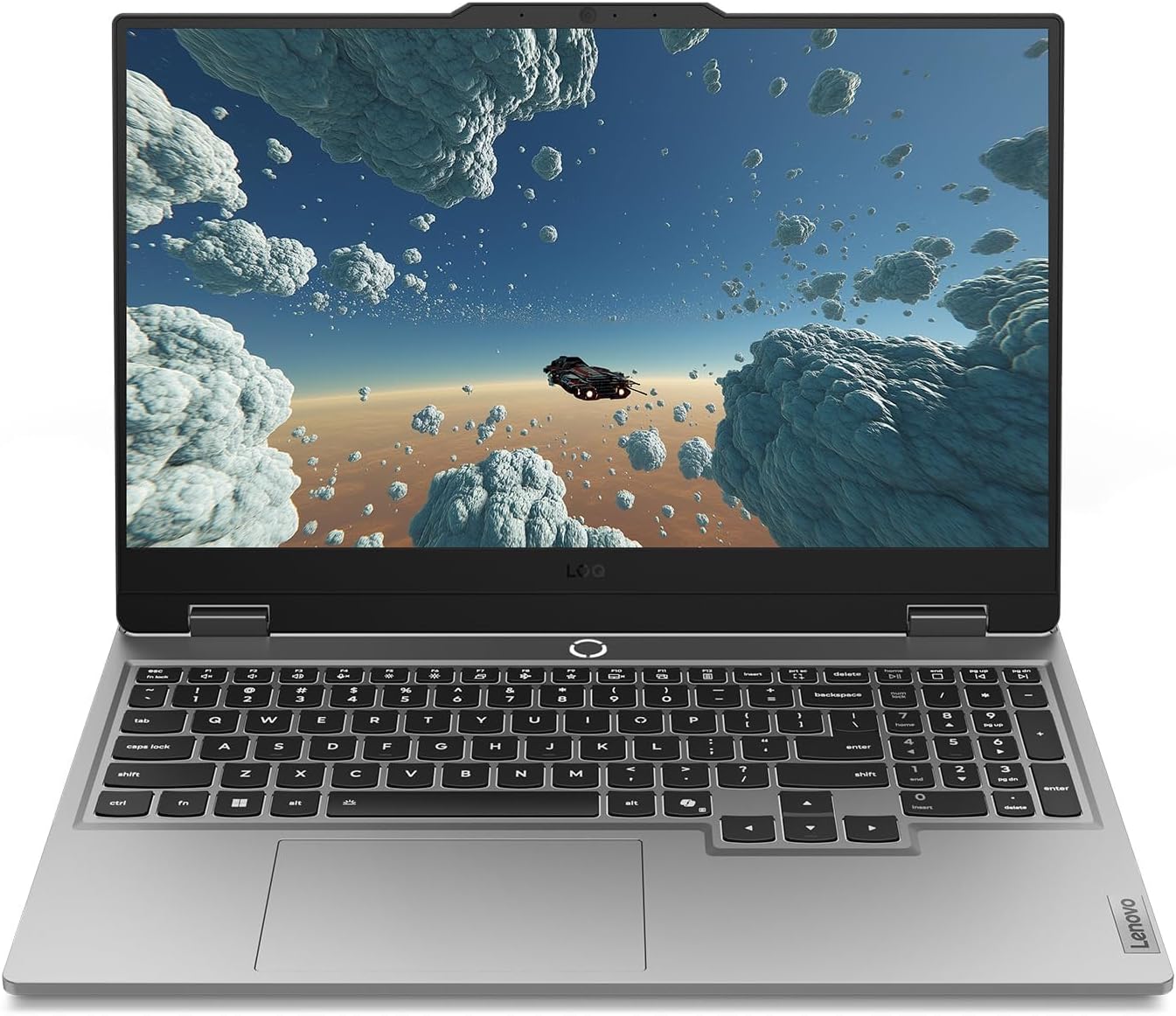
The CPU affects game simulation, background tasks, streaming, compiling, browser multitasking, and creator apps. The Lenovo Legion LOQ uses an Intel Core i7-13650HX, which is a performance-focused processor class that makes sense for buyers who want more than basic gaming. The Acer Nitro V 15 uses an Intel Core i5-13420H with 8 cores and 12 threads according to the listing, which is a practical match for mainstream gaming and multitasking.
The ASUS ROG Strix G16 lists an Intel Core i5-13450HX, while the ASUS V16 lists an Intel Core 7 240H. The Alienware 16 Aurora also lists an Intel Core 7-240H processor. These newer mobile CPU classes should be evaluated alongside the GPU, because a powerful processor paired with a weaker GPU may not deliver the best gaming value if your primary goal is frame rendering.
For most users shopping for a best gaming laptop under 1500, the ideal CPU is not necessarily the most expensive one. A good gaming notebook balances CPU power, GPU power, thermals, and display capability. If you also edit video, run virtual machines, or stream while gaming, prioritize the higher-core or HX-class options when the rest of the configuration remains strong.
Display Quality
Display quality changes how fast and how sharp a laptop feels. The Acer Nitro V 15 offers a 15.6-inch Full HD IPS display with a 165Hz refresh rate, a sensible combination for competitive gaming. The Lenovo Legion LOQ uses a 15.6-inch FHD IPS 144Hz display with G-Sync support, which can help reduce tearing and stutter when frame rates fluctuate.
The Acer Nitro V 16S moves to a 16-inch WUXGA 1920 x 1200 IPS display with a 180Hz refresh rate and 100% sRGB coverage according to the listing. That makes it more attractive for users who split time between gaming, photo work, video timelines, and school or office productivity. The Alienware 16 Aurora lists a 16-inch WQXGA 120Hz display, which prioritizes resolution over maximum refresh rate.
Choose 144Hz or higher if you play shooters, racing games, or fast action titles. Choose WUXGA or WQXGA if you value workspace and sharper text. If you plan to use an external screen at home, our gaming monitor buying guide can help you match the laptop to the right refresh rate and resolution.
Cooling Design and Noise
Cooling is critical in this category because a gaming laptop has to dissipate heat from the CPU and GPU inside a compact chassis. The Lenovo Legion LOQ listing highlights Hyperchamber Cooling, turbo fans, copper heat pipes, and AI Engine+ tuning. The Alienware 16 Aurora lists a Cryo-Chamber structure designed to direct airflow toward core components.
Manufacturer cooling claims are useful, but they are not the same as measured thermal results. A laptop with an aggressive fan profile may sustain performance better but sound louder. A quieter machine may feel better in a dorm room, office, or shared living space but may have less thermal headroom under long gaming sessions.
If fan noise is a major concern, compare chassis design, vent placement, and user feedback before buying. You can also improve desk airflow with accessories; our gaming laptop cooling pad guide covers that upgrade path.
Memory and Storage
For a gaming laptop in this tier, 16GB of RAM is the practical baseline. It is enough for gaming, Discord, a browser, and common launchers running together. The Lenovo Legion LOQ, Alienware 16 Aurora, ASUS V16, ASUS ROG Strix G16, Acer Nitro V 15 RTX 5050 configuration, NIMO 17.3-inch model, MALLRACE model, and NIMO 15.6-inch model all list 16GB memory in the supplied data.
The Acer Nitro V 16S stands out with 32GB DDR5 memory and a 1TB Gen 4 SSD, making it a stronger fit for creators, heavy multitaskers, and users who want fewer near-term upgrades. The ASUS V16, ASUS ROG Strix G16, Lenovo Legion LOQ, Alienware 16 Aurora, Acer Nitro V 16S, NIMO 17.3-inch model, and MALLRACE model list 1TB storage, which is preferable because modern game libraries can consume space quickly.
A 512GB SSD can work if you keep only a few large games installed, while 256GB is restrictive for gaming unless you rely on external storage or cloud installs. When possible, check whether the laptop has an open M.2 slot or user-accessible storage bay before buying.
Portability, Battery Life, and Everyday Use
A gaming laptop should also work as a daily computer. The Lenovo Legion LOQ listing highlights Rapid Charge Pro and Smart Battery Technology, while the NIMO models emphasize business and student use features such as fingerprint support, backlit keyboards, Wi-Fi 6E or Wi-Fi 6, and Type-C charging depending on configuration. These features matter if you carry the laptop between classes, work, and gaming sessions.
Battery life in gaming laptops varies heavily by workload, display brightness, GPU mode, and power plan, so avoid assuming a gaming notebook will run demanding games unplugged for long sessions. For real gaming performance, you should expect to plug in. For school, writing, streaming video, or web use, battery behavior depends on how efficiently the laptop switches between integrated and dedicated graphics.
If you need a portable system for campus, battery behavior and keyboard comfort may matter as much as raw GPU power. Our gaming laptop for college guide focuses more directly on that use case.
Value and Upgrade Path
Value is not just the lowest listed cost. A good value laptop gives you the right GPU, enough RAM, a usable SSD, a display that matches the graphics hardware, and cooling that is credible for the chassis. Based on available product data, the Acer Nitro V 15 RTX 5050 configuration looks compelling for mainstream 1080p gaming, while the Acer Nitro V 16S offers a stronger memory, storage, display, and GPU package.
Upgrade path matters because memory and storage are usually the easiest laptop components to improve later. The Acer Nitro V 16S listing explicitly mentions two DDR5 slots and two PCIe M.2 slots with one available. The Acer Nitro V 15 RTX 4050 listing mentions two DDR5 slots and a maximum memory capacity, but its missing current price in the supplied data prevents us from treating it as a fully validated under-budget recommendation.
Before buying, check whether RAM is soldered, whether both memory slots are populated, and whether opening the laptop affects warranty coverage. A system with 16GB RAM and 1TB SSD is usually the safest no-upgrade-needed baseline for this budget class.
| Model | Key Specification | Best For | Main Strength | Value Rating |
|---|---|---|---|---|
| Lenovo Legion LOQ | Intel Core i7-13650HX, RTX 5050, 15.6-inch FHD 144Hz, 16GB RAM, 1TB SSD | Balanced gaming and multitasking | Strong CPU, G-Sync display, stated advanced cooling | High |
| Acer Nitro V 15 RTX 5050 | Intel Core i5-13420H, RTX 5050 8GB GDDR7, 15.6-inch FHD 165Hz, 16GB RAM, 512GB SSD | Mainstream 1080p gaming | High-refresh display and modern RTX GPU | Very High |
| Acer Nitro V 16S | AMD Ryzen 7 260, RTX 5060, 16-inch WUXGA 180Hz, 32GB DDR5, 1TB Gen 4 SSD | Gaming plus creator workloads | Best memory and storage configuration in supplied data | High |
| Alienware 16 Aurora | Intel Core 7-240H, RTX 5050 8GB, 16-inch WQXGA 120Hz, 16GB DDR5, 1TB SSD | Sharper display and premium design | WQXGA screen and onsite service listing | Medium-High |
| ASUS V16 | Intel Core 7 240H, RTX 5070, 16-inch WUXGA 144Hz, 16GB DDR5, 1TB SSD | Premium GPU headroom | Strongest listed GPU class under the stated ceiling | High |
| ASUS ROG Strix G16 | Intel Core i5-13450HX, RTX 5050, 16-inch FHD+ 165Hz, 16GB DDR5, 1TB SSD, Wi-Fi 7 | Competitive play and modern connectivity | ROG chassis, 165Hz panel, Wi-Fi 7 | High |
Why You Should Trust PCGearWiki
PCGearWiki evaluates gaming laptops by comparing the specifications that actually affect your experience: GPU class, CPU tier, display resolution, refresh rate, RAM capacity, SSD capacity, cooling claims, connectivity, and upgrade potential. We separate manufacturer specifications from measured results and avoid presenting listing claims as our own test data.
Our recommendations are based on objective product comparison, compatibility checks, feature evaluation, and value assessment within the stated budget intent. We also consider whether a laptop makes sense for real users, including gamers, students, streamers, and creators who need one machine for multiple workloads.
PCGearWiki may use affiliate links, which can earn a commission when you buy through qualifying links. That does not change the editorial criteria: unsuitable products are excluded from recommendations when the available data does not support the search intent.
Final Thoughts
Best Overall: Acer Nitro V 16S. The Acer Nitro V 16S is the strongest all-around pick in the supplied data because it combines an RTX 5060 Laptop GPU, 32GB DDR5 memory, a 1TB Gen 4 SSD, and a 16-inch WUXGA 180Hz IPS display with 100% sRGB coverage. It is ideal for gamers who also edit content, stream, or want a laptop that feels less limited out of the box.
Best Value: Acer Nitro V 15 RTX 5050. This configuration pairs an Intel Core i5-13420H with an RTX 5050 Laptop GPU, 8GB GDDR7 VRAM, a 165Hz FHD IPS display, 16GB RAM, and a PCIe Gen 4 SSD. The main trade-off is the smaller 512GB storage capacity, but the core gaming specs are strong for mainstream 1080p use.
Best Budget: NIMO 15.6-inch Ryzen 5 6600H. The NIMO 15.6-inch model is the budget-oriented choice for buyers who want an affordable light-gaming laptop with 16GB DDR5 memory, a Ryzen 5 6600H processor, Radeon 660M graphics, and a backlit keyboard. It is better for lighter games, school, and everyday work than demanding AAA gaming at high settings.
Best Premium Pick: ASUS V16. The ASUS V16 stands out because it lists an RTX 5070, Intel Core 7 240H, 16GB DDR5 RAM, 1TB SSD, and a 16-inch WUXGA 144Hz display while staying within the stated ceiling based on available data. It is the pick to consider if GPU headroom is your top priority, though buyers should still compare thermals, warranty terms, and real-world user feedback before purchase.
If you are building a complete desk setup around your laptop, pair your portable system with the right peripherals. Our gaming keyboard guide and gaming mouse guide can help complete the setup.
Frequently Asked Questions
What is the best gaming laptop under 1500 in 2026?
Based on the supplied product data, the Acer Nitro V 16S is the strongest overall choice because it includes an RTX 5060 Laptop GPU, 32GB DDR5 memory, 1TB Gen 4 SSD, and a 180Hz WUXGA IPS display. The ASUS V16 is the premium GPU-focused alternative with RTX 5070 graphics.
How much should I spend on a gaming laptop under 1500?
You should spend enough to get a modern RTX GPU, at least 16GB of RAM, and preferably a 1TB SSD. Cheaper systems can work for esports and light gaming, but demanding AAA games benefit from a stronger GPU and better cooling design.
Is an RTX 5050 laptop good enough for gaming?
An RTX 5050 laptop is a sensible target for 1080p gaming, especially when paired with a 144Hz or 165Hz display. For higher settings, more demanding future games, or creator workloads, an RTX 5060 or RTX 5070 configuration provides more headroom.
Should I choose a 15.6-inch or 16-inch gaming laptop?
A 15.6-inch gaming laptop is usually easier to carry, while a 16-inch model often gives you a taller 16:10 display and more workspace. If screen size is your deciding factor, see our 16-inch gaming laptop guide for more focused advice.
How long does a gaming laptop under 1500 typically last?
A well-chosen gaming laptop in this tier can remain useful for several years, but longevity depends on GPU strength, cooling, RAM, storage, and the games you play. Choosing 16GB or 32GB RAM, a 1TB SSD, and the strongest practical GPU helps extend its usable life.
How We Evaluated
PCGearWiki evaluates review and buying-guide recommendations by comparing product specifications, compatibility, real-world use cases, pricing, warranty coverage, and customer feedback patterns. Our goal is to explain not only which products look strong on paper, but which ones make sense for actual PC builds and daily use.
- Specifications, compatibility, performance expectations, pricing, warranty coverage, and long-term value.
- Real-world PC setup fit, feature trade-offs, build quality, software support, and upgrade considerations.
- Customer feedback patterns around reliability, usability, setup experience, and common complaints.
You can read more about our editorial standards and scoring process in our Review Methodology.
Sources and Verification
Research basis: Product identity, dimensions, interfaces, supported features, and warranty terms are checked against available manufacturer documentation and current retailer listings. Price, stock, and aggregate customer ratings can change after publication.
Testing disclosure: Unless this article explicitly states that PCGearWiki performed hands-on testing and describes the test setup, recommendations are research-based editorial evaluations rather than PCGearWiki laboratory measurements. Customer feedback is used to identify recurring ownership patterns, not as proof of technical performance.
Last source review: July 21, 2026. See our Review Methodology, Editorial Policy, and Corrections Policy.


Write Your Review
No reviews yet. Be the first to share your experience!